Setup
After installing Codestodian in Slack, you'll need to connect it to your GitHub account to enable code review functionality. From within Slack, open the Codestodian App. On the home page of the app, you will be presented with the following page:
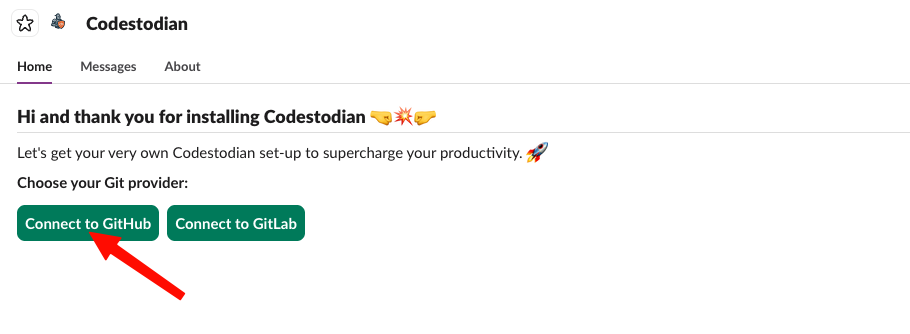
Press the Connect to GitHub button on the homepage to begin the process to connect Codestodian to your GitHub Cloud account. Once you press this button, your browser will navigate to the following page once you have selected the GitHub organisation to install Codestodian onto:
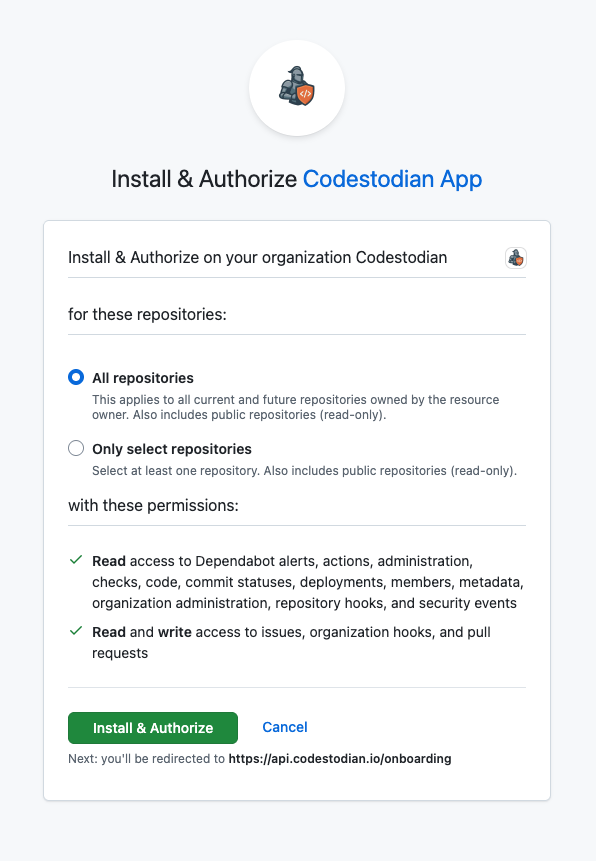
The permissions required by Codestodian are detailed below.
Repository Permissions
| Scope | Permission | Access Level | Notes |
|---|---|---|---|
| Repository | Actions | Read-only | Workflows, workflow runs, artifacts |
| Repository | Administration | Read-only | Repo settings/teams/collaborators |
| Repository | Checks | Read-only | Check runs/suites |
| Repository | Code scanning alerts | Read-only | View/manage code scanning alerts |
| Repository | Commit statuses | Read-only | Commit status API |
| Repository | Contents | Read-only | Repo contents/branches/commits/releases |
| Repository | Dependabot alerts | Read-only | Retrieve Dependabot alerts |
| Repository | Deployments | Read-only | Deployments + deployment statuses |
| Repository | Issues | Read and write | Issues + comments/labels/milestones |
| Repository | Metadata | Read-only | Mandatory (can't be changed) |
| Repository | Pull requests | Read and write | PRs + PR comments/labels/merges |
| Repository | Webhooks | Read-only | Post-receive hooks |
Organisation Permissions
| Scope | Permission | Access Level | Notes |
|---|---|---|---|
| Organization | Administration | Read-only | Manage access to the org |
| Organization | Members | Read-only | Org members + teams |
| Organization | Webhooks | Read and write | Org webhooks |
Account Permissions
| Scope | Permission | Access Level | Notes |
|---|---|---|---|
| User | (none selected) | — | No user-scoped permissions currently requested |
After installing, the application will create a webhook on the organisation so that it can receive events from GitHub. The webhooks cover the following event categories:
CI / Build / Code Quality Events
| Event | What it sends | Why it's useful |
|---|---|---|
| Check run | Individual check execution lifecycle | Detect CI results per job |
| Check suite | Grouped checks lifecycle | Track overall CI status |
| Code scanning alert | Security/code scanning updates | Surface security alerts in Slack |
| Dependabot alert | Dependency vulnerabilities | Notify engineers of risks |
| Deployment status | Deployment progress updates | Report environments/builds |
| Status | Commit status updates | CI state changes |
| Workflow job | Individual Actions job updates | Fine-grained pipeline insight |
| Workflow run | Workflow lifecycle events | Trigger summaries when builds finish |
Collaboration / Team Activity Events
| Event | What it sends | Why it's useful |
|---|---|---|
| Issues | Issue lifecycle changes | Track work activity |
| Pull request | PR lifecycle changes | Main driver of PR summaries |
| Pull request review | Review submissions | Detect approvals/changes |
| Pull request review comment | Inline PR comments | Review context awareness |
| Member | Repo collaborator changes | Team visibility |
| Membership | Team membership changes | Org/team awareness |
| Team | Team updates | Maintain mapping of teams |
| Team add | Team added to repo | Permission context |
| Organization | Org changes + member invites | Org-level visibility |
Repository / Git Activity Events
| Event | What it sends | Why it's useful |
|---|---|---|
| Push | Git push events | Detect new commits instantly |
After completing the installation on GitHub Cloud, congratulations! You are ready to use Codestodian.