Understanding Preferences
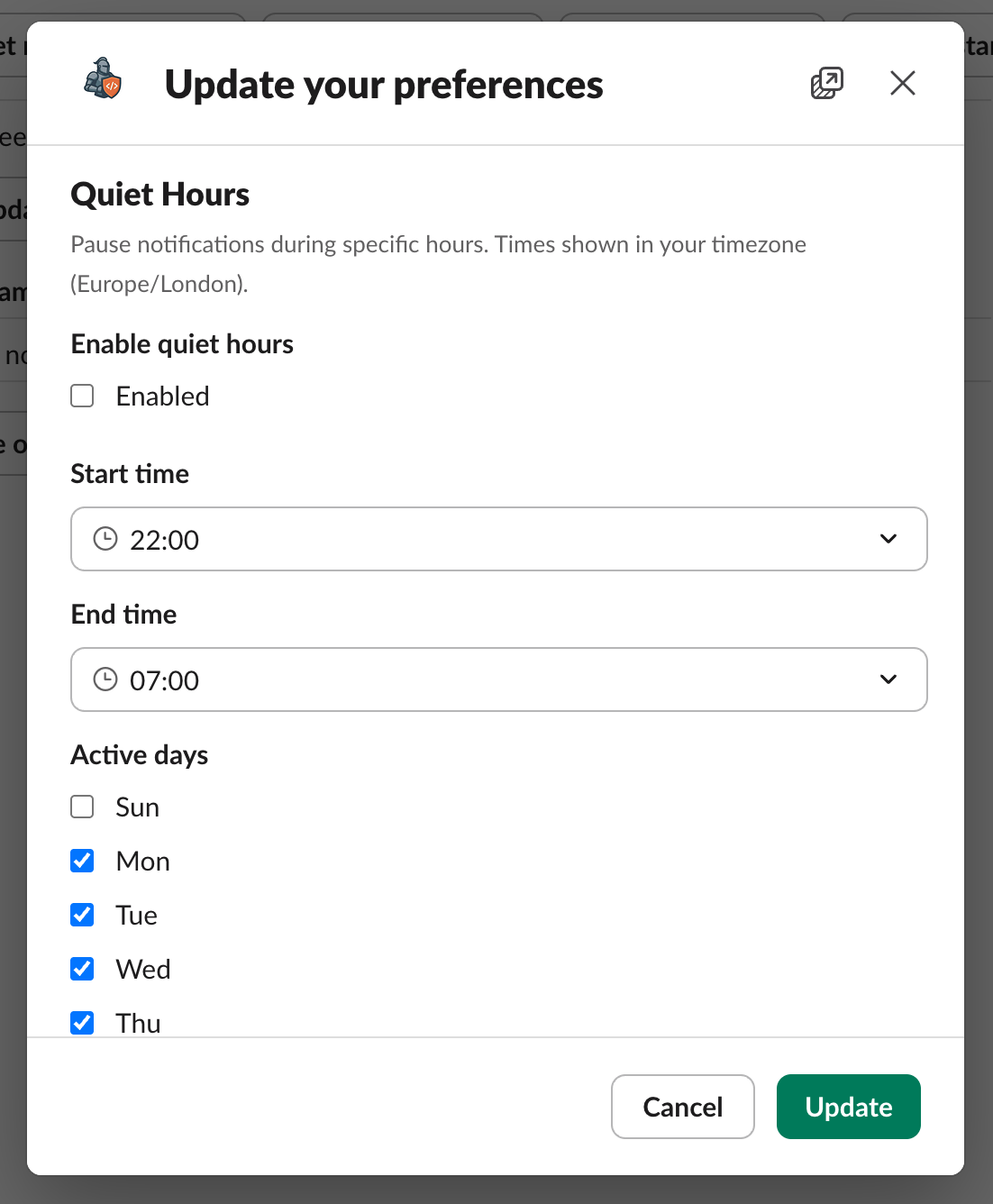
You can customise which notifications Codestodian sends you and when they are delivered. Open the preferences modal from the Codestodian home tab to manage these settings.
Notification Toggles
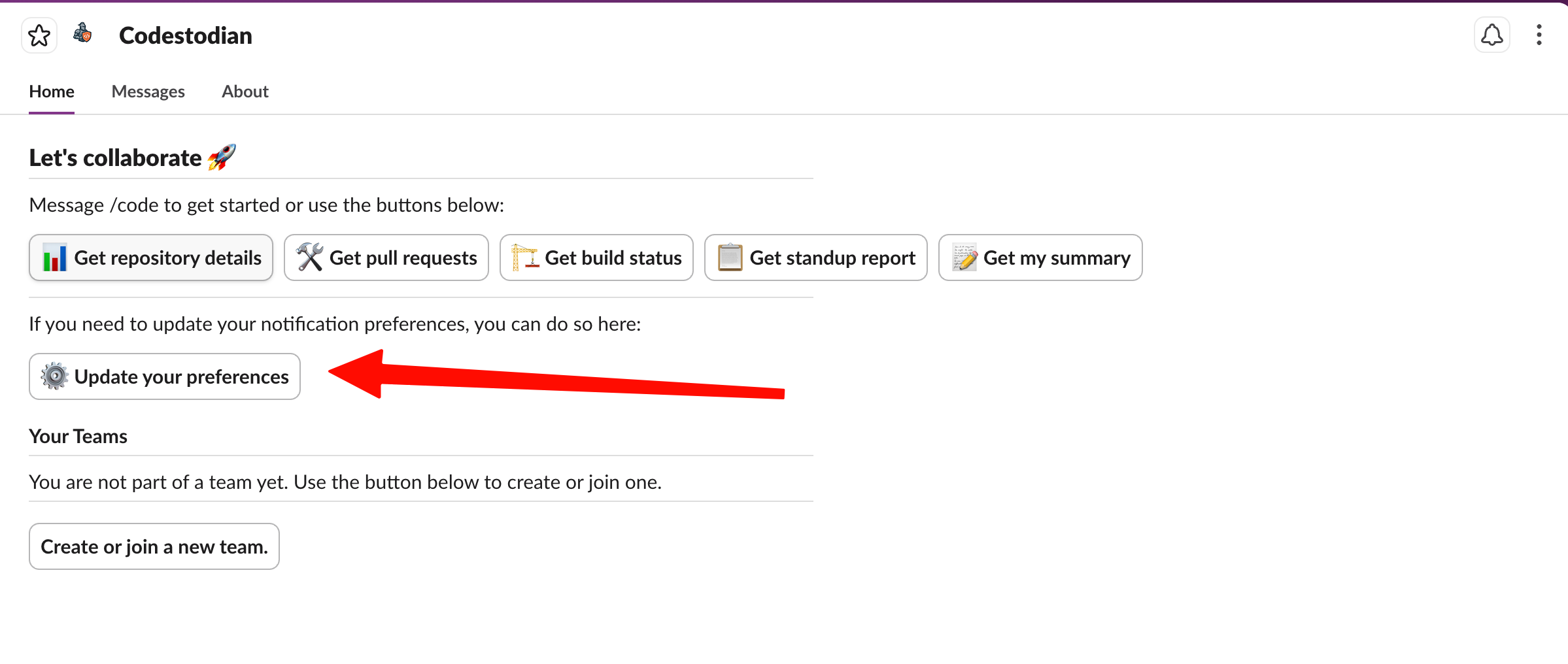
Each toggle controls a specific type of notification. All notifications are enabled by default.
Review submitted notifications
Be notified when someone reviews your pull request. This covers all review outcomes — approvals, comments, and change requests.
Review requested notifications
Be notified when someone requests a review from you on their pull request. This helps you stay on top of incoming review requests without having to check your Git provider.
Review dismissed notifications
Be notified when someone dismisses your review on their pull request. This lets you know when a review you submitted has been overridden.
Build outcome notifications
Be notified of the outcome of any build you triggered. Build outcomes include Pass, Fail, In Progress, Action Required, and Skipped.
Quiet Hours
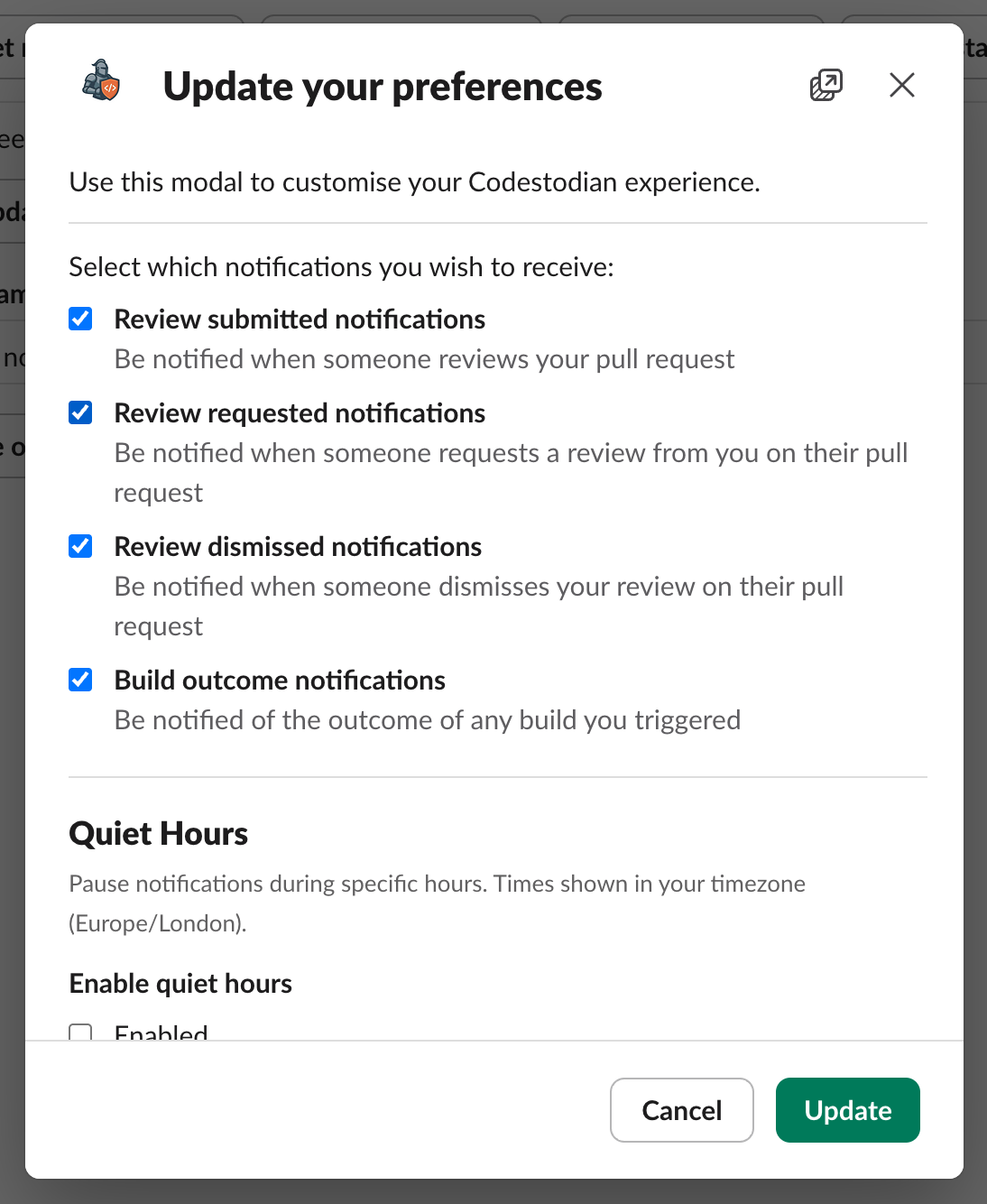
Quiet hours let you pause all notifications during specific time periods so you are not disturbed outside of working hours.
Quiet hours are disabled by default. To enable them, tick the Enabled checkbox.
Configuration
- Start time — when quiet hours begin (e.g. 22:00)
- End time — when quiet hours end (e.g. 07:00)
- Active days — which days of the week quiet hours apply (Sunday through Saturday)
Times are displayed in your timezone. If you set the start time later than the end time, quiet hours will span overnight (e.g. 10:00 PM to 7:00 AM).
Any notifications triggered during quiet hours will be held until the quiet period ends.